This document outlines standardized operational procedures for installers and distributors to initiate RMA (Return Merchandise Authorization) claims via the SolaX Cloud Platform. Serving as a practical guide for SolaX authorized partners, it clarifies application pathways and documentation requirements based on account privileges, ensuring efficient and transparent after-sales processing.
1. Installer/Distributor log in the cloud platform.
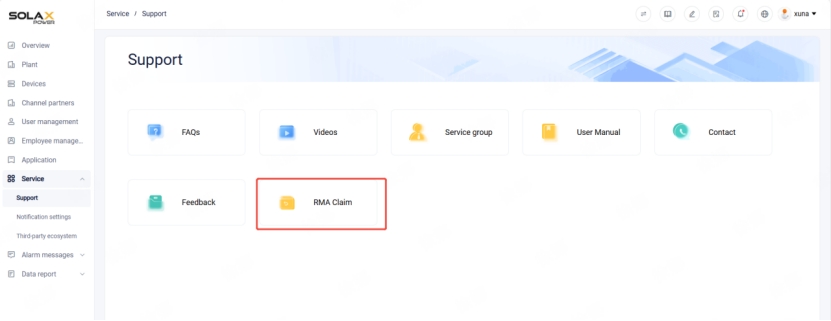
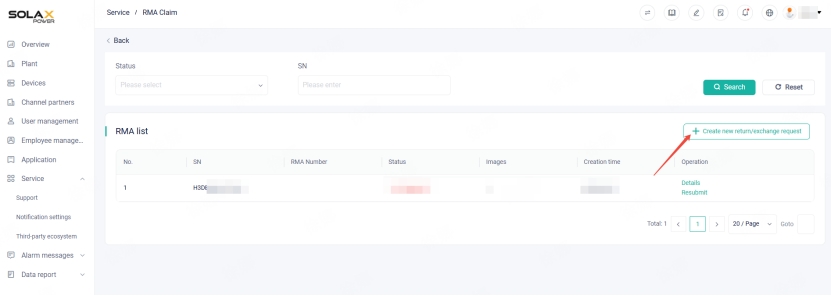
2. Under "Service-Support", there is an entry for "RMA Claim". Click to create the application.
2.1 For the Distributor Account
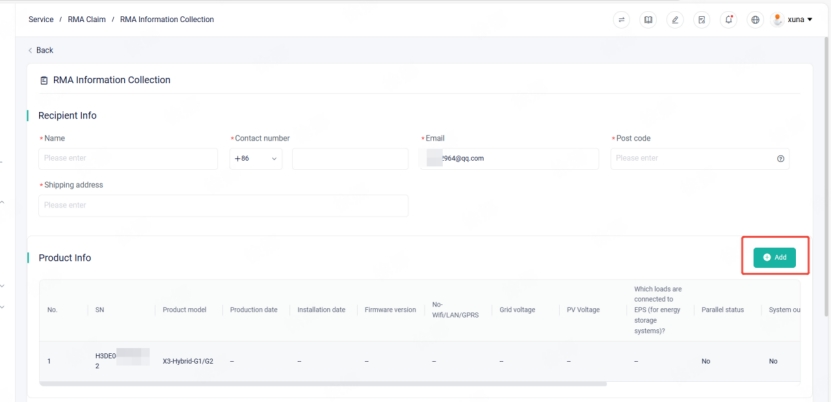
For the Distributor account, you can directly access the application form for RMA.
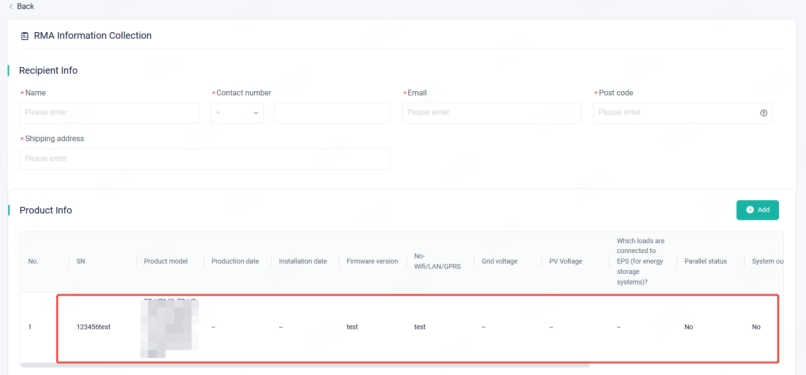
Fill in the recipient information, the on-site information of the faulty product, and note that multiple SNs are supported for entry.
2.2 For Installer Accounts at Gold or Platinum Service Partner Level
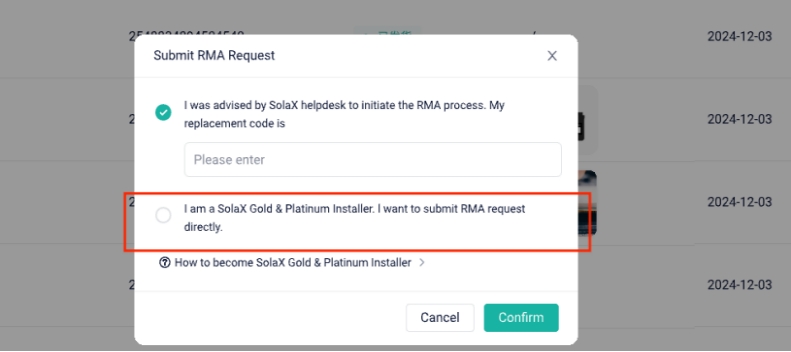
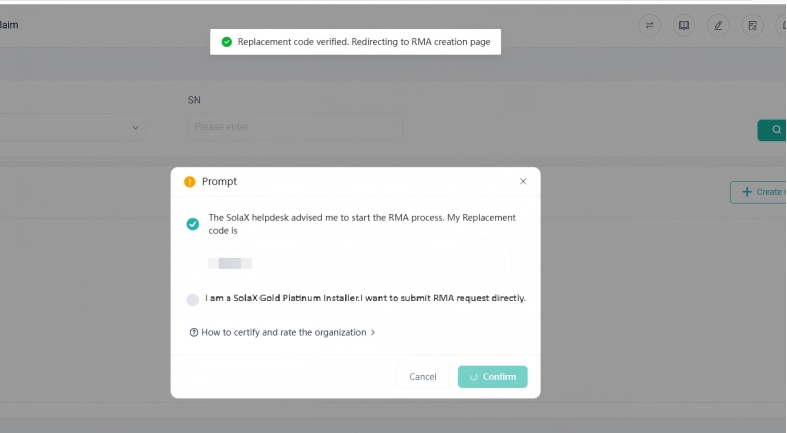
If the installer account is at the Gold or Platinum service partner level, it can directly create an RMA request by selecting the options.
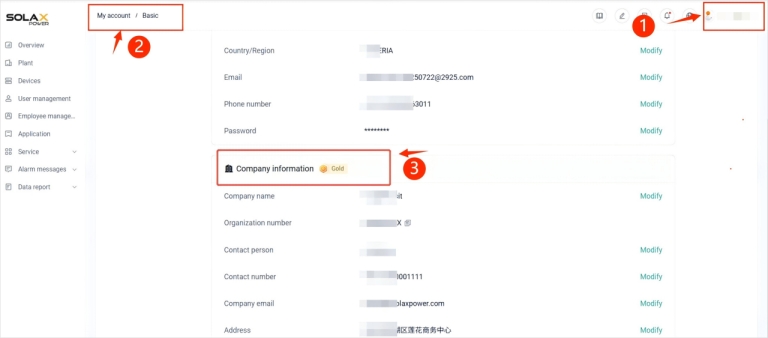
Installers can view their account service partner level by clicking the account icon in the upper-right corner, navigating to "My Account", and selecting "Basic", as shown below.
2.3 For Installer Accounts Who Have Not Reached the Gold or Platinum Service Partner Level
Installer accounts that have not yet reached the Gold or Platinum Service Partner level must enter an RMA replacement code in order to create an RMA request. This RMA replacement code is provided by Customer Service of SolaX.
The RMA code applies when the installer has already communicated with Customer Service (via phone or email) and a preliminary RMA assessment has been made.
This RMA replacement code is provided by Customer Service of SolaX. In cases where the installer has already had preliminary communication with SolaX's customer service via phone or email, and has preliminarily determined that RMA processing is necessary, just require the installer to conduct further on-site verification.
After entering the correct RMA Code, the previously registered information by the customer service of SolaX will be automatically synchronized. The installer can add supplementary information and submit it.


 Chuck Lee