

 Chuck Lee

FAQ\Cloud
Issue introduction
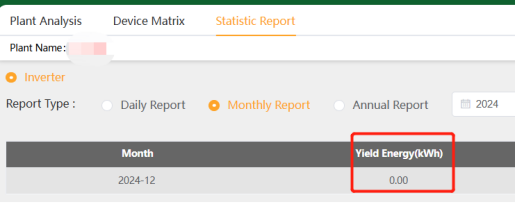
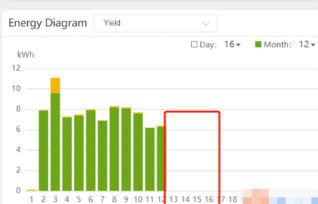
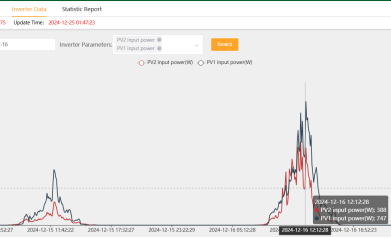
In the inverter data records of the site, PV output power can be seen, but both the report and the diagram show the Cumulative output as 0.And it has remained 0 since that day.
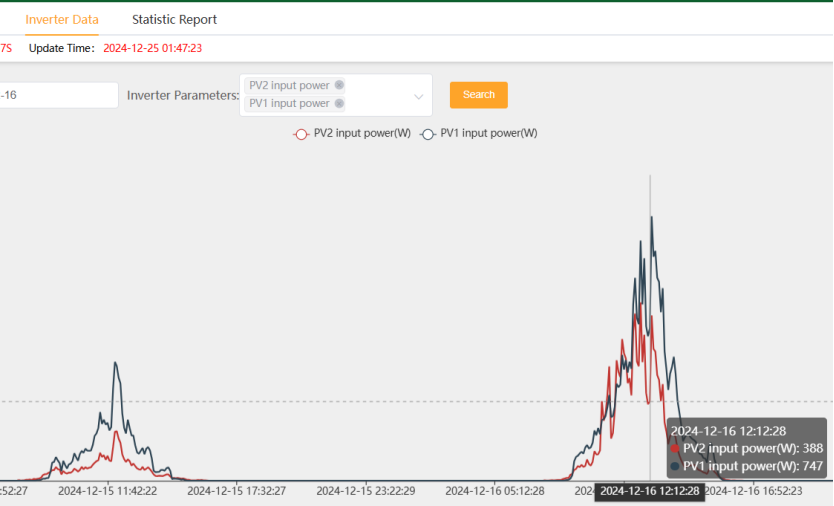
|
Statistic report-Yield Energy=0kWh |
The Energy Diagram also does not record |
|
|
|
Confirmation of basic information
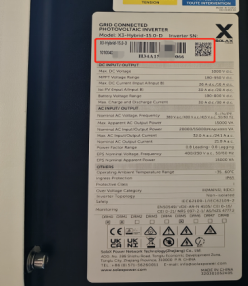
[Photo] SN numbers of the inverter.
Guidance for installer
Step1:Check the changes in the total yield in the historical records to see if there is a total rollback phenomenon as shown in the diagram below.(Tips:Look back from the day when the cumulative yield energy in the bar chart was reported as 0)
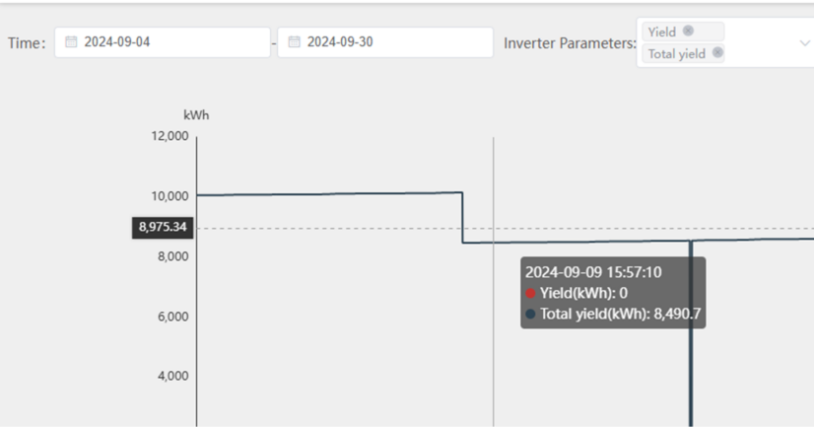
The older version of the hybrid inverter has a bug. When the inverter switches from idle to checking, there may be a rollback in the total yield. The daily power yield cannot be accumulated until the DSP recalculates the total yield back to the value before the rollback.
Step2:Update the inverter firmware to the latest version to avoid future reporting of incorrect total yield information by the inverter.
Step3:Clear the inverter's local logs and begin accumulating yield data from scratch.
Setting path:Advanced setting→Reset→Reset INV Energy
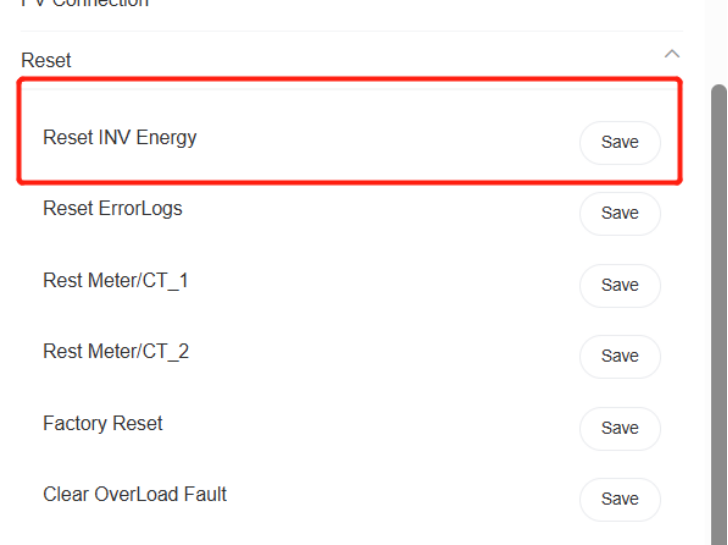
Step4:Calculate the correct total historical energy yield and inform the SolaX technical support team. They will fix the historical data on the cloud for you.
Information check list
If you have completed the above <Guidance for installer>, and the problem is still not solved, please collect the following troubleshooting information and send them to the R&D.
1. [Photo]SN number of the inverter, which should clearly display the registration number.
- [Photo]Cloud screenshot:inverter data&Statistic report-Yeild Energy
|
|
|
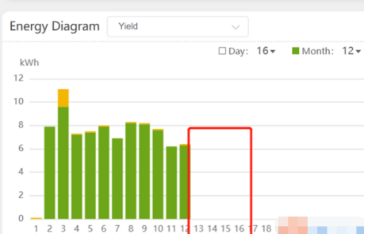
3.The 'Yield Energy' data that requires fixing.