

 Chuck Lee

FAQ/ EVC
Issue introduction
EVC reports 485 Com Fault.
Confirmation of basic information
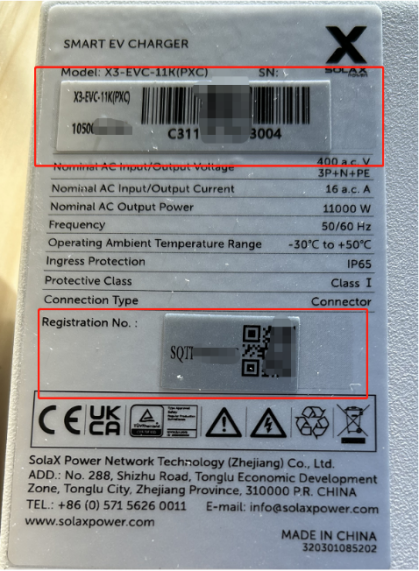
[Photo]SN number of the EVC
Guidance for installer
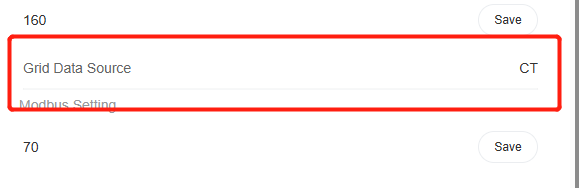
Step1: Check the “Grid data source” setting. Select the correct sampling device based on the actual device used by the EVC to obtain the grid connection point data.
Setting Path: Setting→Advanced Setting→Grid Data Source
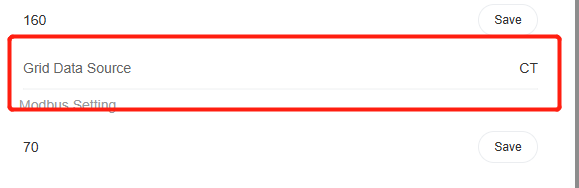
Tips: Select the device the EVC communicates with; it is not related to the sampling devices used by the inverter or DataHub in the system.
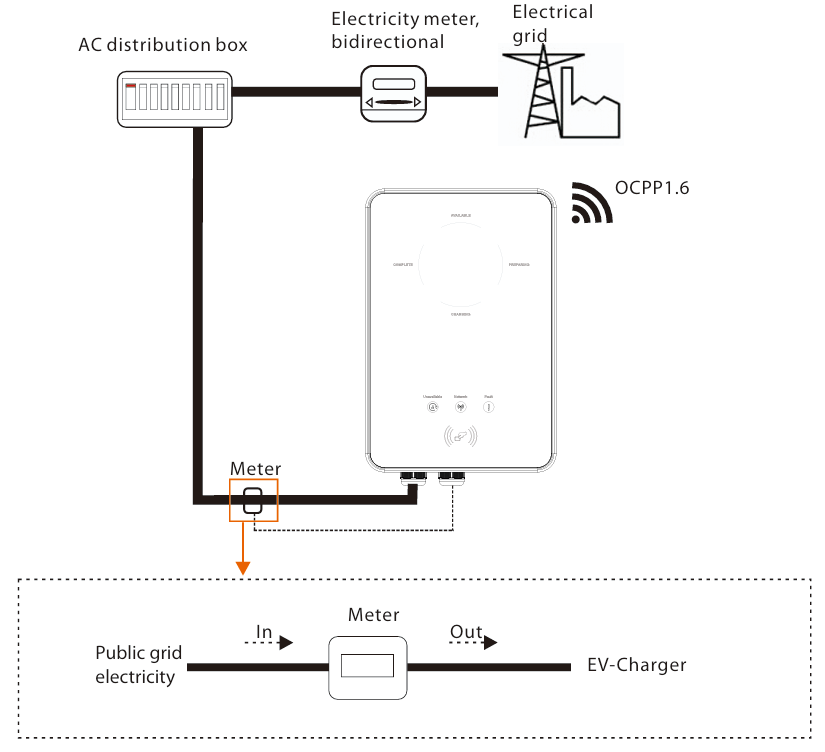
Step2: If the EVC is operating in OCPP mode, Confirm that the meter is connected correctly
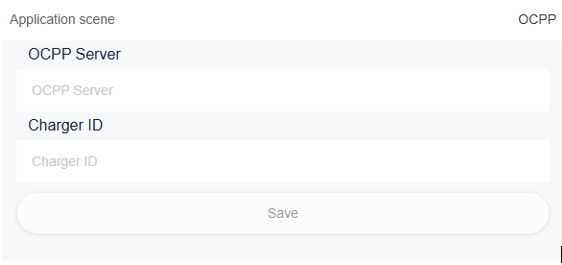
Setting Path: Setting→Advanced Setting→Application Scene→OCPP
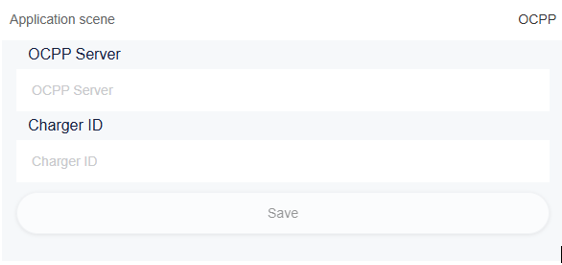
If the OCPP mode is selected, the EVC must be connected to a meter, otherwise this error will be reported.
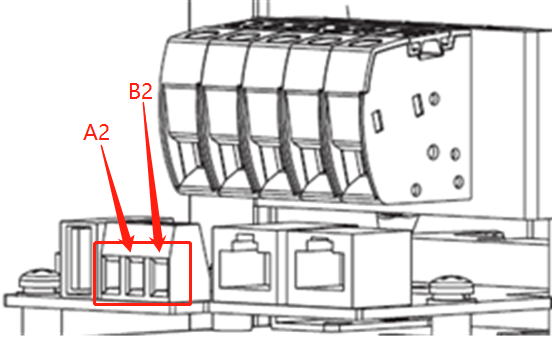
For Fusion version, the meter is connected to A2 & B2 of the RS485 terminal, as shown in the figure.
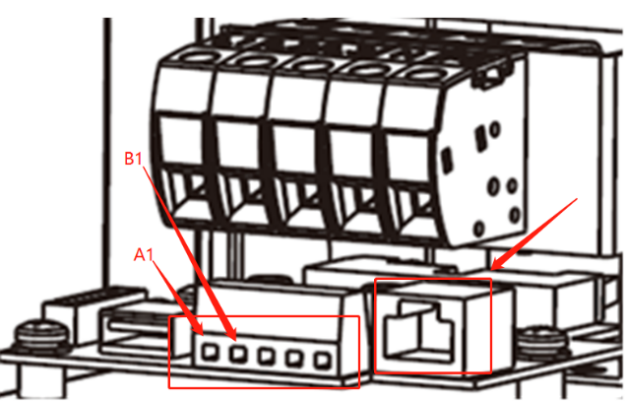
For Commercial version, the meter is connected to the A1 & B1 of the RS485 terminal or RJ45 terminal, as shown in the figure.
The installation position and direction of the meter are shown in the figure below.
Information check list
If you have completed the above <Guidance for installer>, and the problem is still not solved, please collect the following troubleshooting information and send them to the SolaX technical support team.
1.[Photo]EVC information including SN and registration numbers.
2.[Photo] Grid data source Setting
3.[Photo]OCPP Setting
4.[Photo] Meter connection in OCPP mode