

 Chuck Lee

FAQ\Hybrid INV
Issue introduction
The battery is fully but does not discharge while in operation.
Confirmation of basic information
[Photo]SN number of the inverter and battery.
Guidance for installer
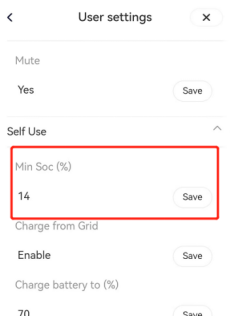
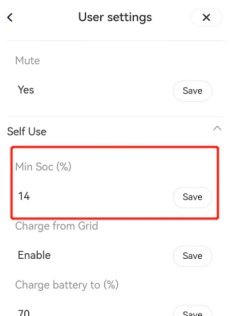
Step1: Check the setting value of Min SOC for the corresponding operating mode; it is recommended to set it between 10 and 30.
Settings path: Setting → User settings → Self Use\Feed-in Priority\Backup Mode
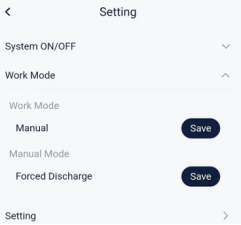
Step2: Set the working mode to Forced Discharge in manual mode.
Settings path: Setting → Work Mode
Situation1: <If the battery can discharge in manual discharge mode>
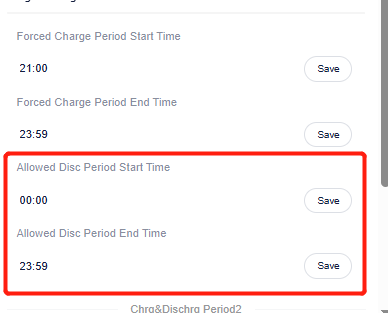
Step1: Check whether the inverter is within the discharge time period.
Settings path: Setting → User settings → Chrg&Dischrg Period→Allowed Disc Period Start Time
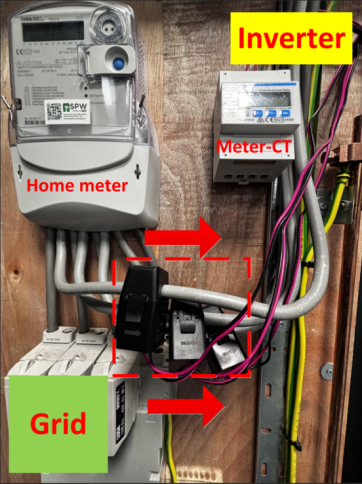
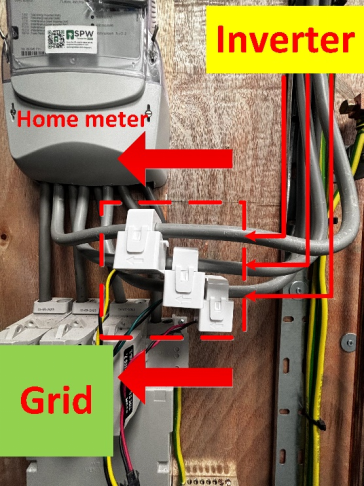
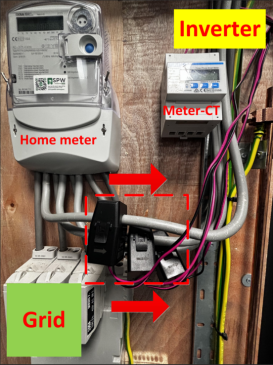
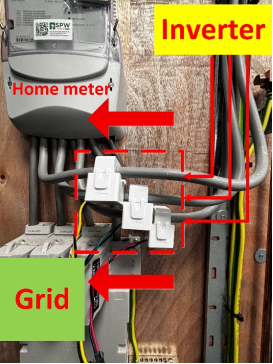
Step2: Check the direction of the CT/Meter according to the diagram below.The CT for a direct-connected inverter should be oriented towards the grid power, while the CT with a meter should point towards the inverter.
 |
 |
Situation2:<If the battery cannot discharge in manual discharge mode>
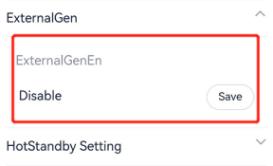
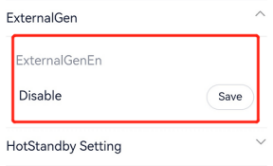
Step1: Check if <ExternalGenEn> is enabled; if there is no generator connected, do not enable this function.
Setting Path: setting →advanced→ExternalGen→ExternalGenEn→Disable
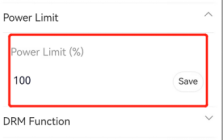
Step2: Check if the <Power limit> is set too low, restricting the inverter's output; unless there are special circumstances, this setting should be 100%.
Setting Path: setting →advanced →power limit
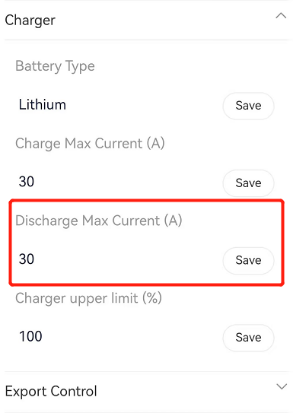
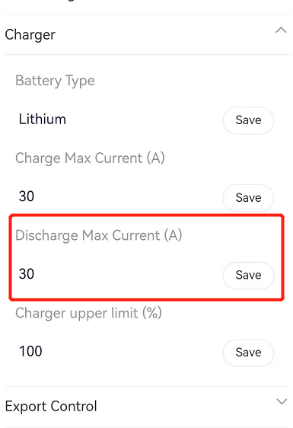
Step3: Check if the <discharge maximum current> setting is too low. Refer to the inverter's manual for the maximum value; for example, the X3-Hybrid G4 has a maximum discharge current of 30A to ensure the battery can output at full power.
Setting Path: setting →advanced →charger
Situation3:<If the temperature is too low>
Step1: According to the manual, check whether the local temperature is within the operating temperature. If the temperature is too high or too low, consider moving the battery to a place where the temperature is appropriate.
Step2: If a T30 battery is used and cannot be charged or discharged due to low temperature, check whether the “Battery Heating” is enabled.
Setting path: setting →advanced →Battery Heating →Battery Heating →Enable
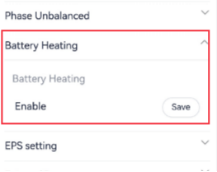
Situation4:<parallel solution>
Step1: Disconnect the communication line between the master inverter and slave inverter. And set the<parallel setting> to "free."
Setting path: setting→advanced→parallel setting→parallel setting
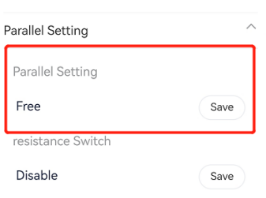
Step2: Follow the above steps to individually check the discharge status of each inverter.
Information check list
If you have completed the above <Guidance for installer>, and the problem is still not solved, please collect the following troubleshooting information and send them to the Solax technical support team.
1.[Photo] Inverter and battery information including SN and registration number.
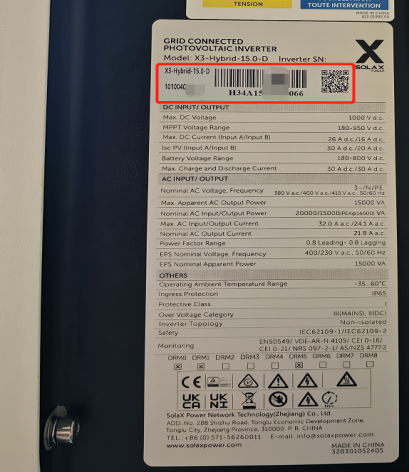 |
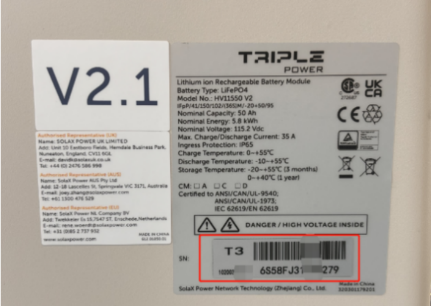 |
2.[Photo] Inverter setting about MinSoc.
3.[Photo] Inverter setting about power limit.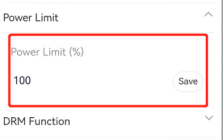
4.[Photo] Inverter setting about discharge maximum current.
5.[Photo] Inverter setting about external generator.
6.[Photo] Local temperature interface in the weather APP.
7.[Photo] (If CT/Meter-CT is used) CT direction.
 |
 |