

 Chuck Lee

FAQ\Cloud
Issue introduction
After logging into the web-based cloud platform, the user finds that the 'System & Site' page in the navigation bar list is unable to display the station information.
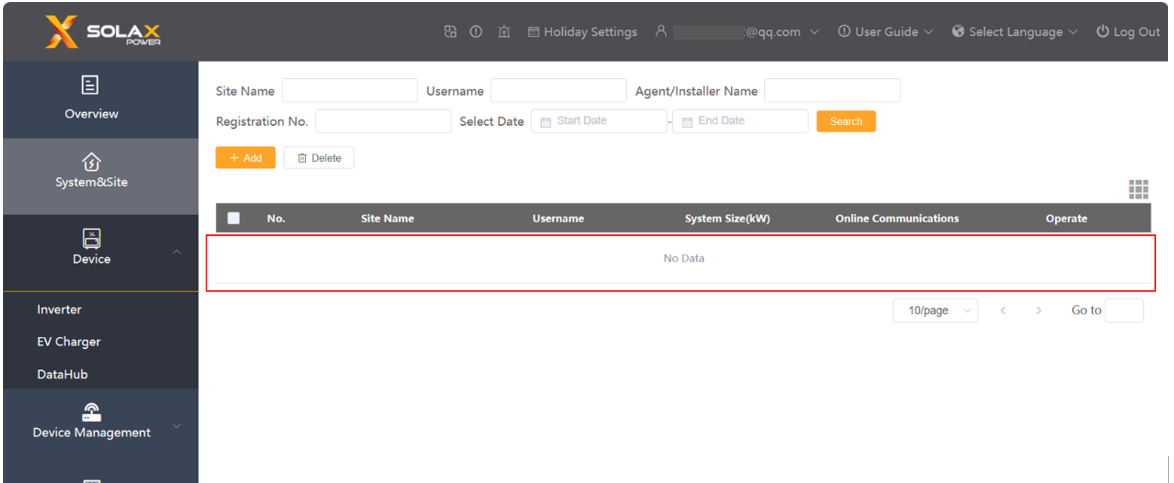 Confirmation of basic information
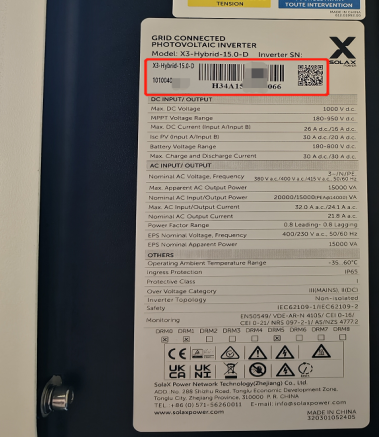
[Photo] SN numbers of inverters.
Check if the communication network of the user's home is normal.
Guidance for installer
Situation1
Step1: Clear the cache of the cache or change a browse, log out and log in again.
Step2: There may be a delay in data due to the maintenance of the platform. Please refresh again after a short wait.
Situation2<If the station was deleted by mistake>
Step1: Re-add the station information and check it afterwards.
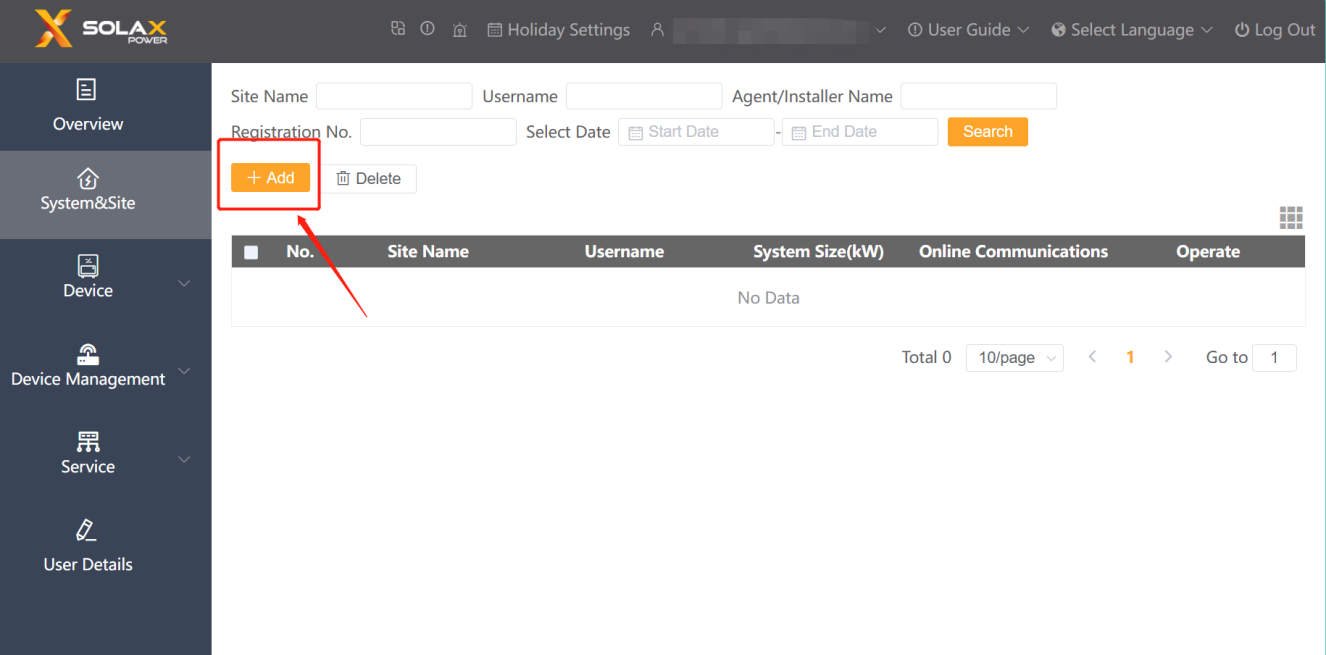
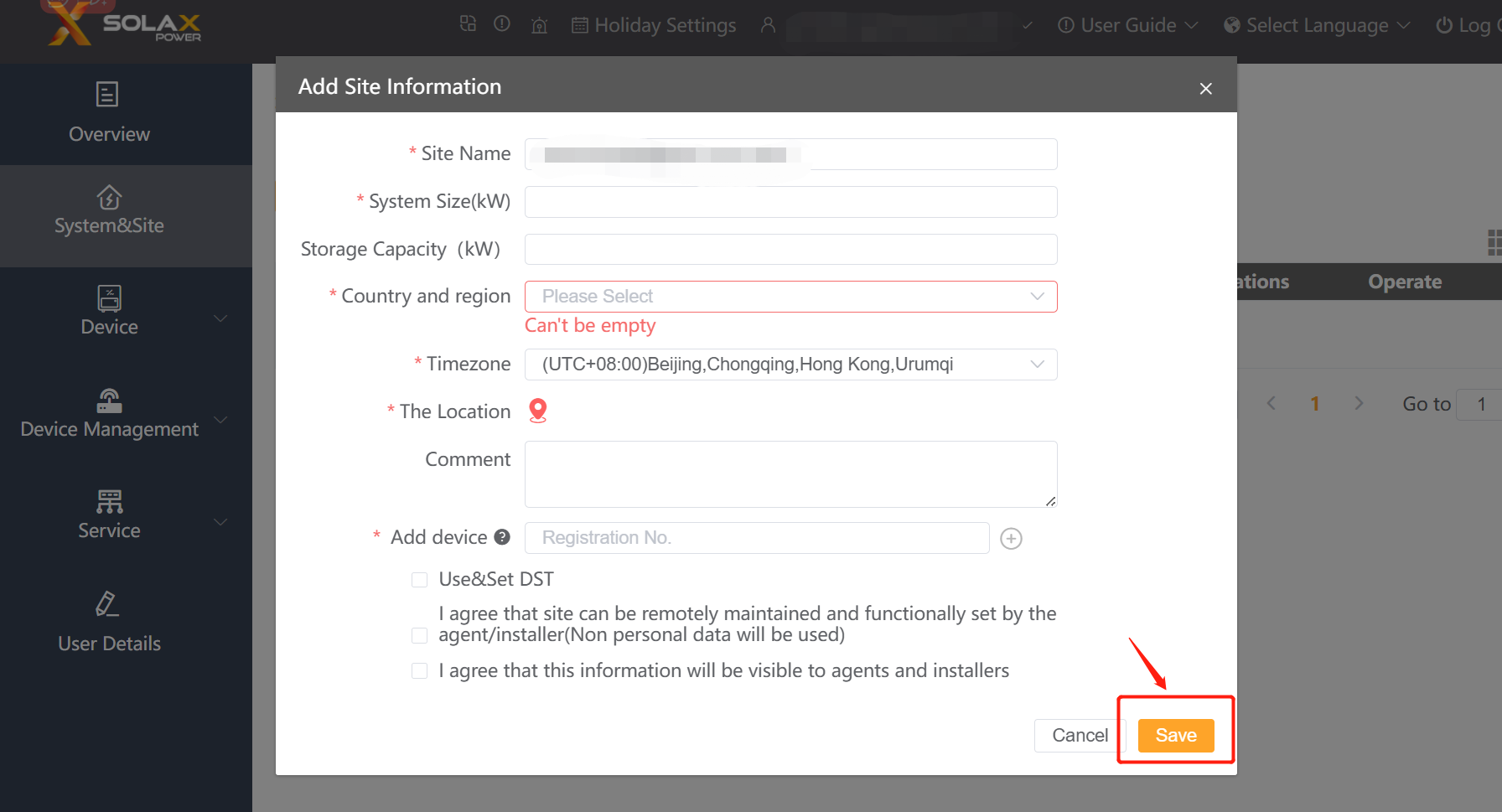
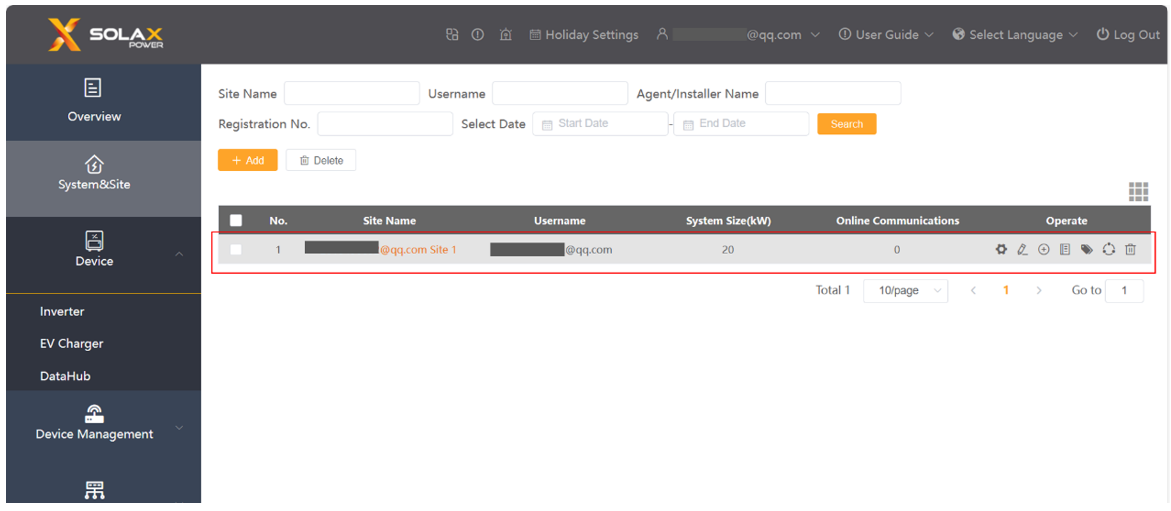
Step2: After adding the site successfully, the site information can be seen.
 Information check list
If you have completed the above <Guidance for installer>, and the problem is still not solved, please collect the following troubleshooting information and send them to the Solax technical support team.
1. [Photo]SN number of the inverter, which should clearly display the registration number.
2. [Photo]The information required for adding a site (site name, system size, country and region, timezone, the location is must)
3. The email and user name for log-in.