Chuck Lee

FAQ\Cloud
Issue introduction
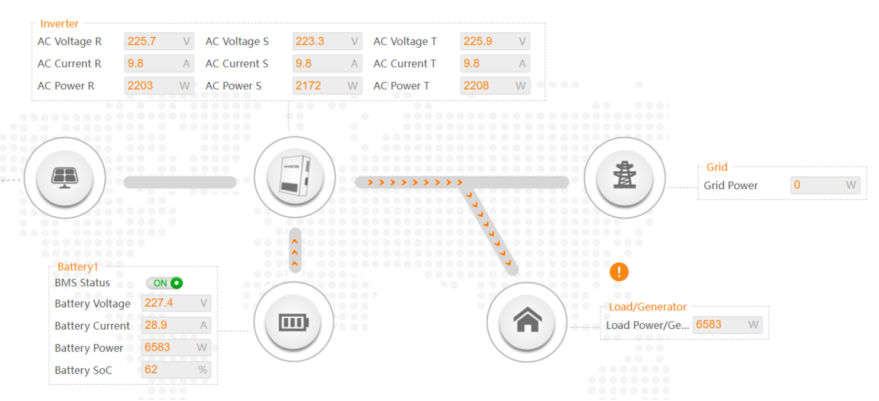
Flow chart can't show the energy value flowing to the grid.
Confirmation of basic information
[Photo] SN numbers of inverters.
[Photo]Meter or CT is from Solax.
[Photo] Confirm the meter or CT is from solax.
Guidance for installer
Step1:Clear your browser's cache, log out and log back in, refresh and try it again.
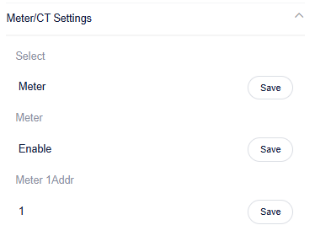
Step2: Check the meter/CT setting. Choose the CT or meter based on actual usage conditions.
Settings path: Setting → Advanced → Meter/CT Settings →Select
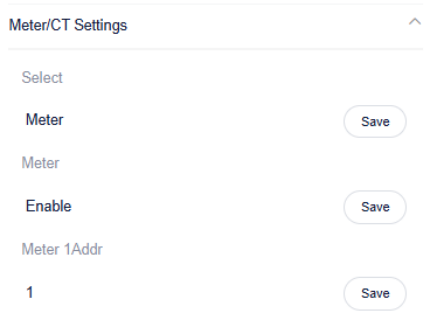 If you select a meter, don't forget to enable it!
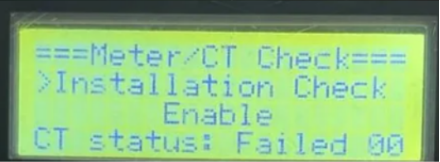
Step3:Enable Installation Check for inspection。
Setting Path:Advanced→Meter/CT Setting→Meter/CT Check→Installation Check
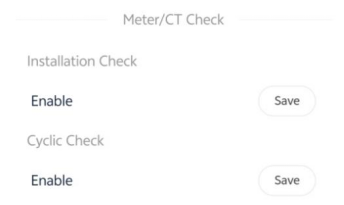
Wait a minute for the results, make the necessary corrections to the table based on the prompt code
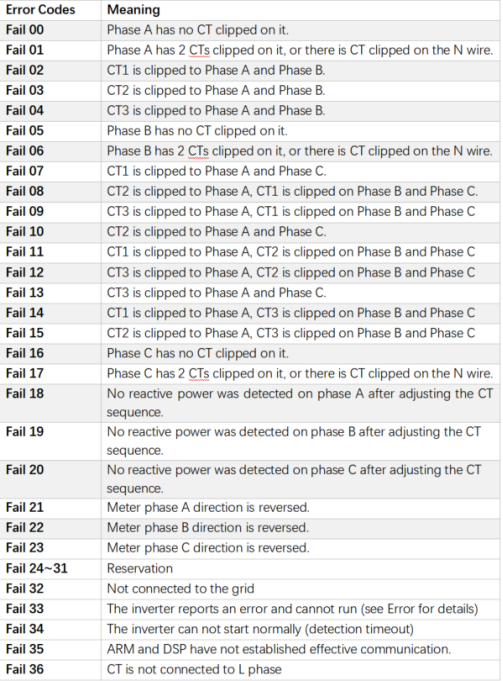
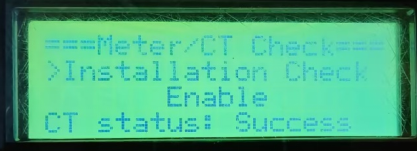
Self-check passed will display <Success>
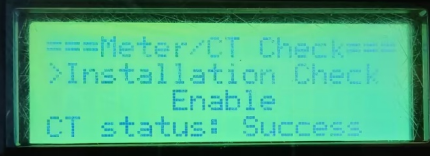
Information check list
If you have completed the above <Guidance for installer>, and the problem is still not solved, please collect the following troubleshooting information and send them to the Solax technical support team.
1.[Photo]SN number of the inverter, which should clearly display the registration number.
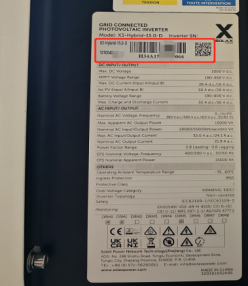
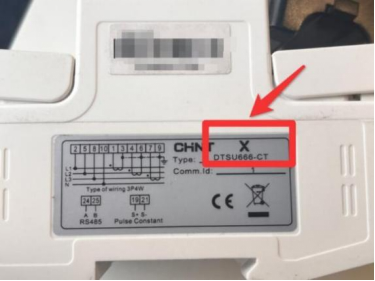
2.[Photo]The logo of meter.
3.[Photo]Inverter setting about Meter/CT Settings.
4.[Photo]The inspection results after enabling the "self-checking" function.