Chuck Lee

FAQ\Cloud
Issue introduction
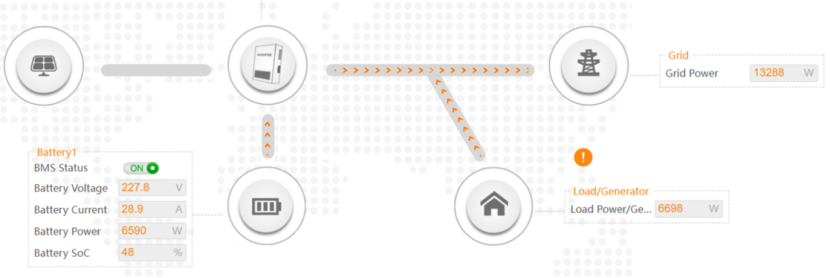
The customer's cloud displays a streamline diagram showing the flow of energy from the load to the grid.
Confirmation of basic information
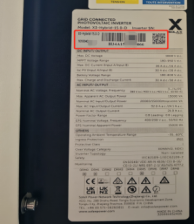
[Photo]SN number of the inverter.
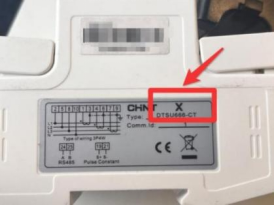
[Photo]Meter or CT is from Solax.
If there are other inverters in the system, please let us know.
Guidance for installer
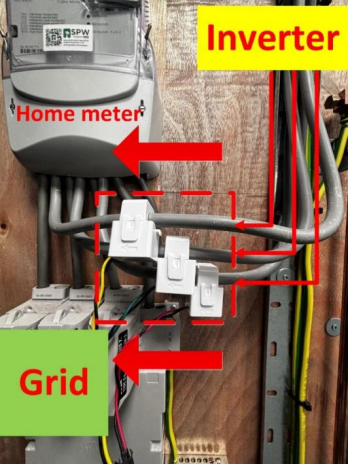
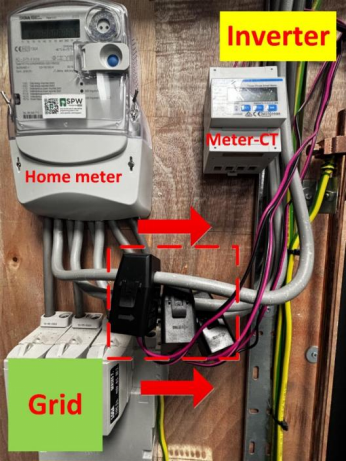
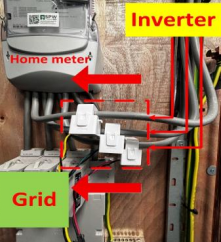
Step1: Ensure the CT direction is correct.
|
CT only, CT arrow points to the Grid |
Meter with CT, CT arrow points to inverter |
|
|
|
Step2:Set the CT type in the inverter according to the data on the CT.
|
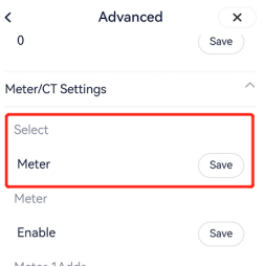
CT type setting on the inverter Setting Path: Setting➡️Advanced➡️ Meter/CT Setting➡️CT Type |
Check the data on the CT. |
|
|
|
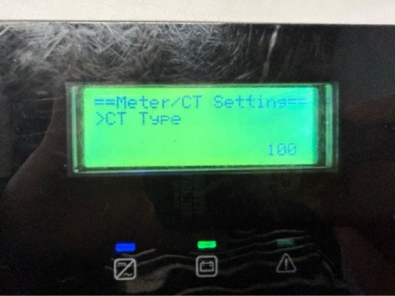
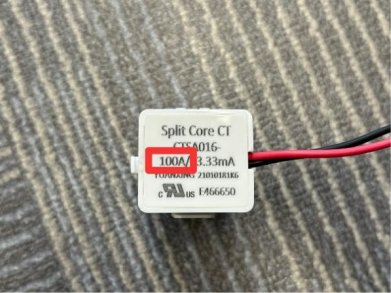
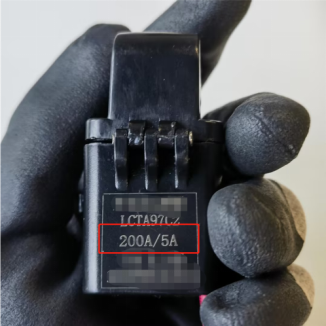
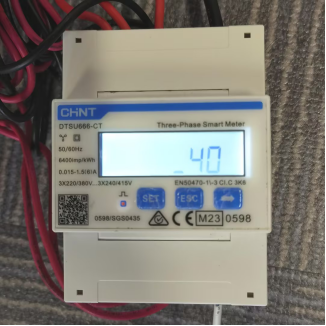
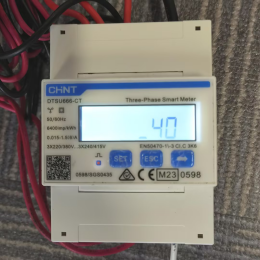
If Meter-CT is uesd, check if the current ratio settings of the meter are correct. If the CT is the standard CT, the setting in the meter should be 40. For other CT, please refer to the labels on the CT or manual.
The steps for setting up the meter can refer to the following meter setting diagram or meter manual.
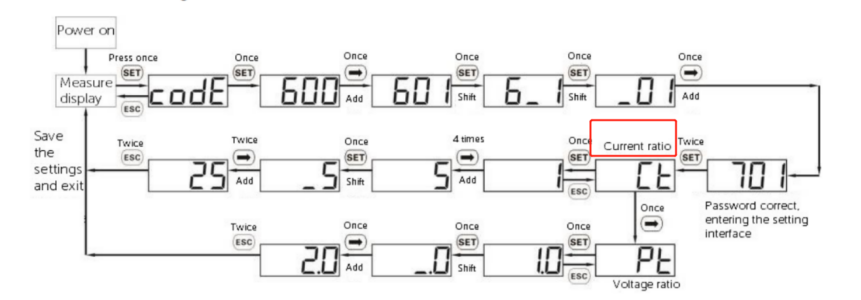
Meter setting
|
The current ratio on the label |
The current ratio settings of the meter |
|
|
|
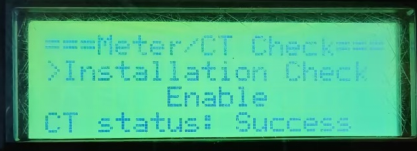
Step4.Enable Installation Check for inspection。
Setting Path:Advanced→Meter/CT Setting→Meter/CT Check→Installation Check
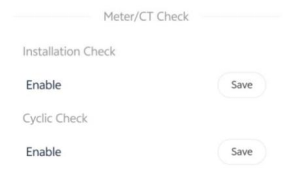
Wait a minute for the results, make the necessary corrections to the table based on the prompt code
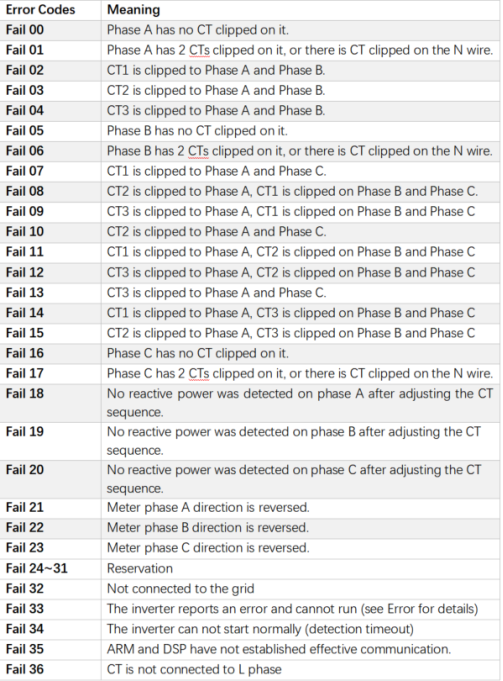
The error message is just a reminder and may not necessarily correspond to the actual installation issue. If the problem persists after the error is reported, follow the troubleshooting steps outlined later.
Step1: Turn off all the loads and set the inverter to forced charge mode.
Setting Path: Mode Select→Manual→Forced Charge
Step2: Check if the power of each phase in “On-grid” is similar to the power in “Meter/CT” in the system status, a difference of less than 100W between the two is considered normal.
|
On-grid status on the inverter Setting Path: System Status➡️ On-grid This information needs to be queried locally through the inverter's screen |
Meter/CT power measured on the inverter Setting Path: System Status➡️ Meter/CT This information needs to be queried locally through the inverter's screen |
|
|
|
|
|
|
|
|
|
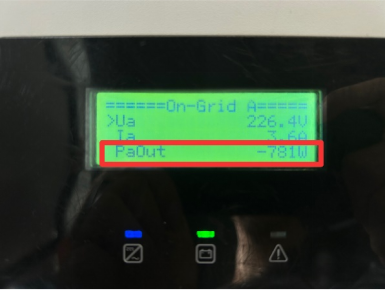
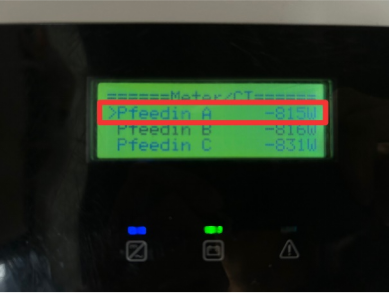
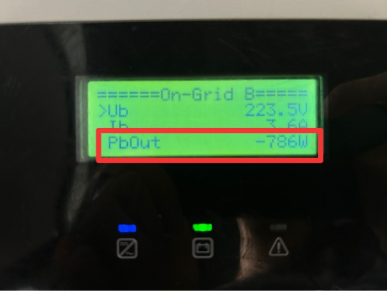
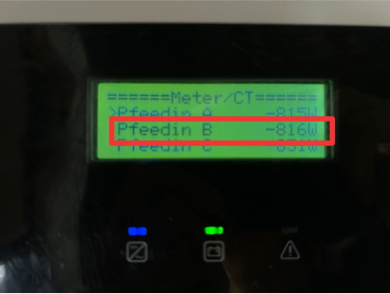
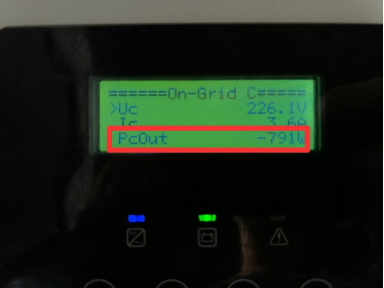
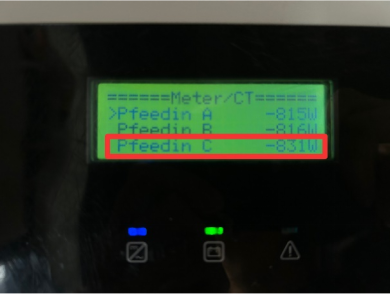
- If the power displayed on on-grid status is normal but on meter/CT status is 0, it indicates that the installation of the meter or CT is incorrect, most likely on the load side. Please check the installation location of the meter and re-install it at the grid connection point.
- If the power displayed on both on-grid status and meter/CT status is not 0, but the difference between the two is greater than 100W, check which data is higher.
- If the power displayed on On-grid status is higher, check if there are other inverters or generators connected to the system.
- If the power displayed on Meter/CT status is higher, double-check whether all loads have been disconnected.
Information check list
If you have completed the above <Guidance for installer>, and the problem is still not solved, please collect the following troubleshooting information and send them to the Solax technical support team.
- [Photo]SN number of the inverter.
2.[Photo]Meter or CT is from Solax.
3.Meter\CT setting
4.[Photo]CT direction
4.[Photo]The inspection results after enabling the "self-checking" function.