Chuck Lee

Hybrid INV
Issue introduction
The customer doesn't know where to set the export control or the export control fails after the export control has been set.
Operation guide
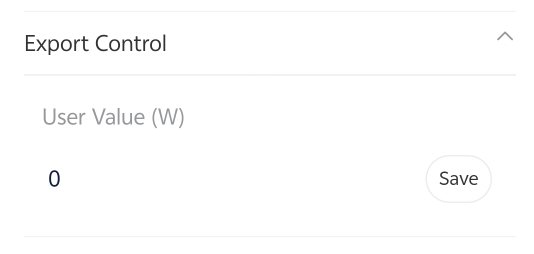
Step1: Set the export control to 0, taking X3-Hybrid-G4 as an example.
Setting path: Setting➡️Advanced ➡️Export control ➡️User value=0
Step2: Check the meter/CT setting. Choose the CT or meter based on actual usage conditions.
Setting Path: Setting➡️Advanced➡️Meter/CT Setting➡️Select
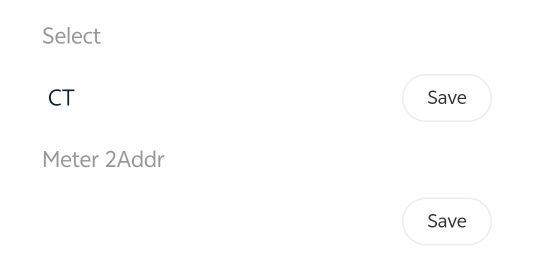
Step3: Refresh the remote setting and re-enter the interface to check whether the value of export control is saved successfully.
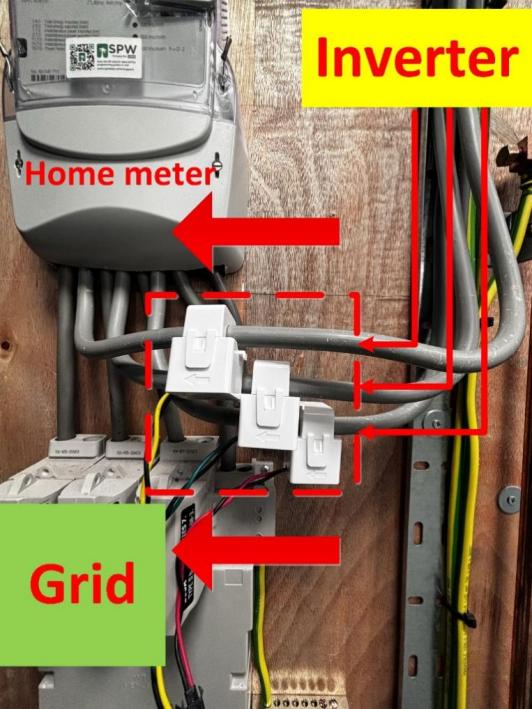
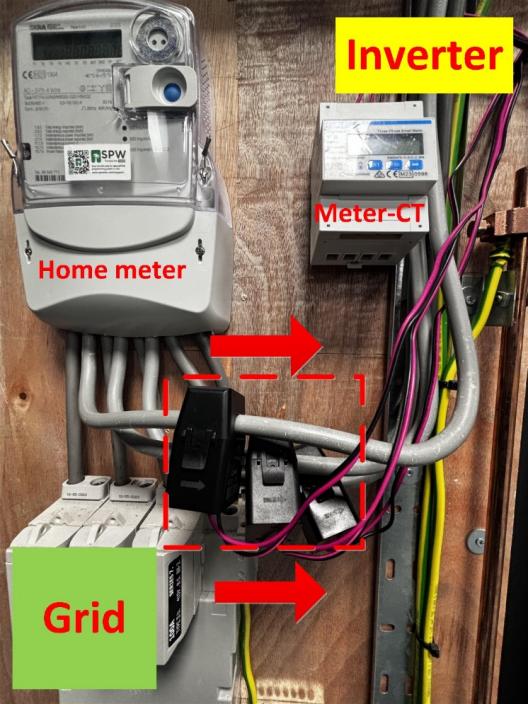
Step4: Whether the inverter can perform export control depends on whether it can obtain accurate grid connection information. Ensure the CT direction is correct.
|
CT only, CT arrow points to the Grid |
Meter with CT, CT arrow points to inverter |
|
|
|
Please note
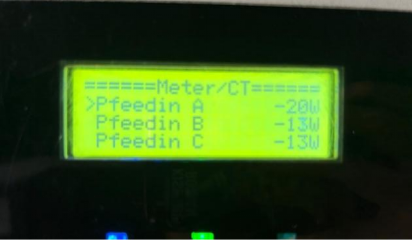
You can check the local menu of the inverter to see if it has received information from the meter, which will confirm that the export control function is working.
Setting Path: System Status➡ Meter/CT