Chuck Lee

FAQ\Hybrid INV
Issue introduction:
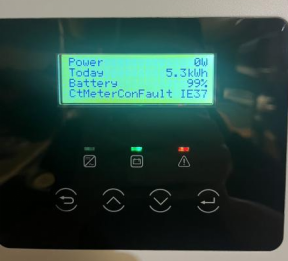
The inverter screen displays:CTMeterConFault IE37.
Confirmation of basic information:
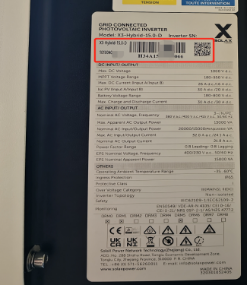
[Photo] SN numbers of the inverter.
Guidance for installer
Step1:Upgrade the firmware version to the latest.
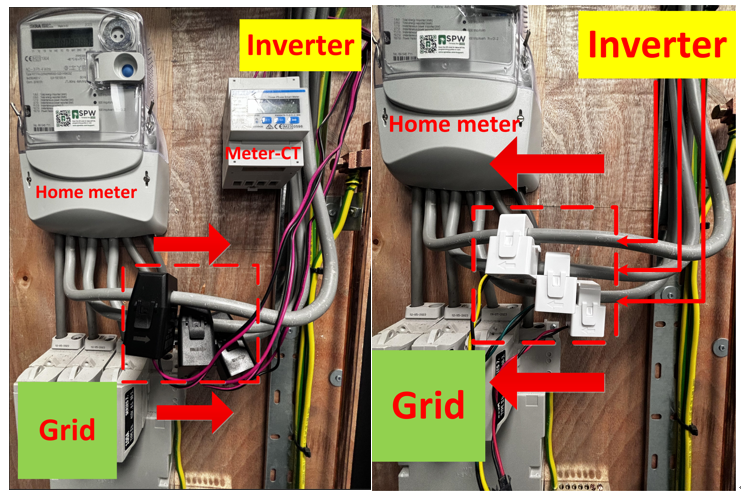
Step1: Check CT direction, when only CT is connected, the CT arrow points to the grid, and when meter&CT is connected, the CT direction points to the inverter.
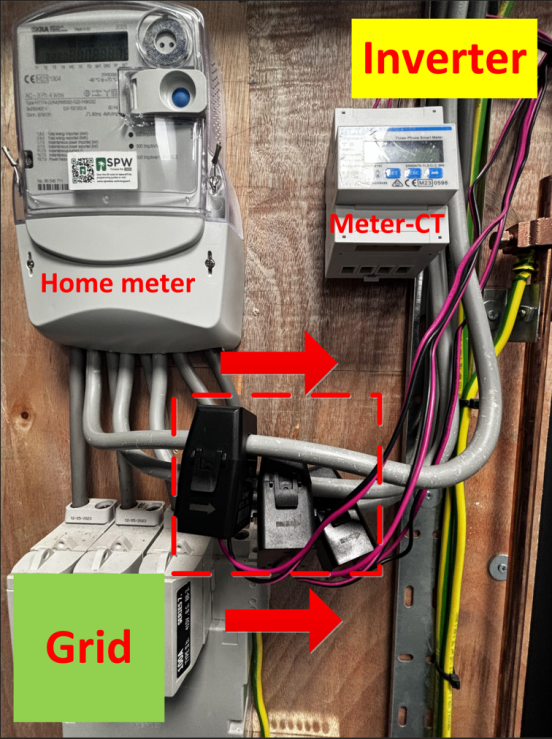 |
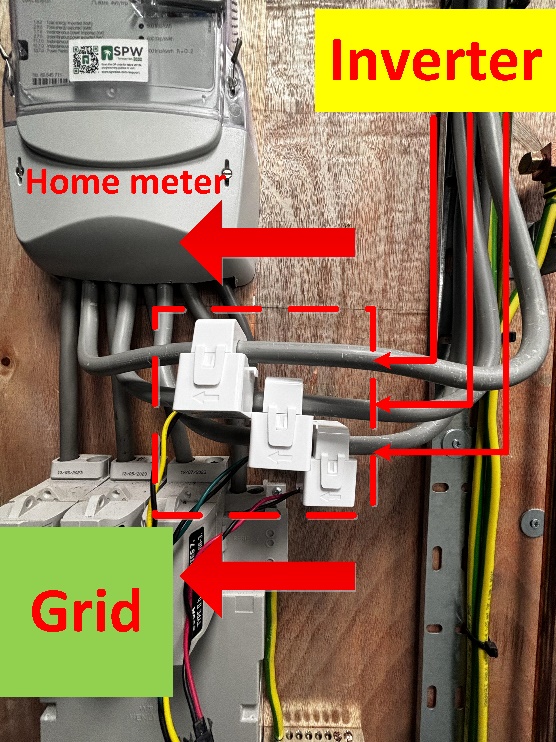 |
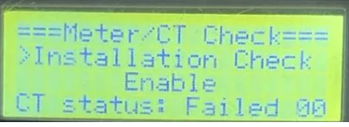
Step2:Disconnect the PV and battery of the inverter, open any three-phase equipment at home, if the three-phase load can be stably taken from the grid and the meter sampling data conforms to the load rated power value, then restart the inverter and enable the Installation Check function. (This function can only be operated when connected to grid)
Setting Path:Advanced->Meter/CT Setting->Meter/CT Check->Installation Check
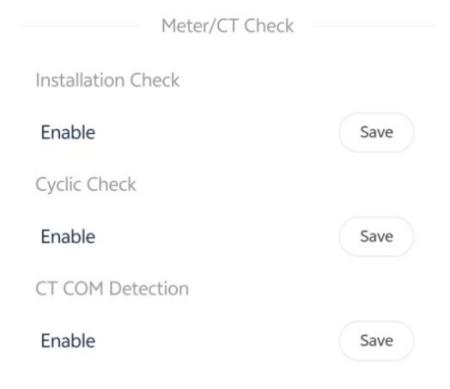
Wait a minute for the results, make the necessary corrections to the table based on the prompt code
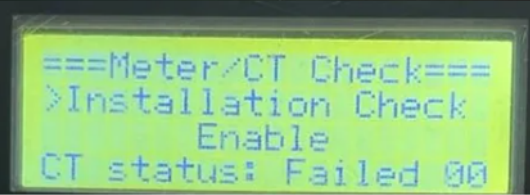
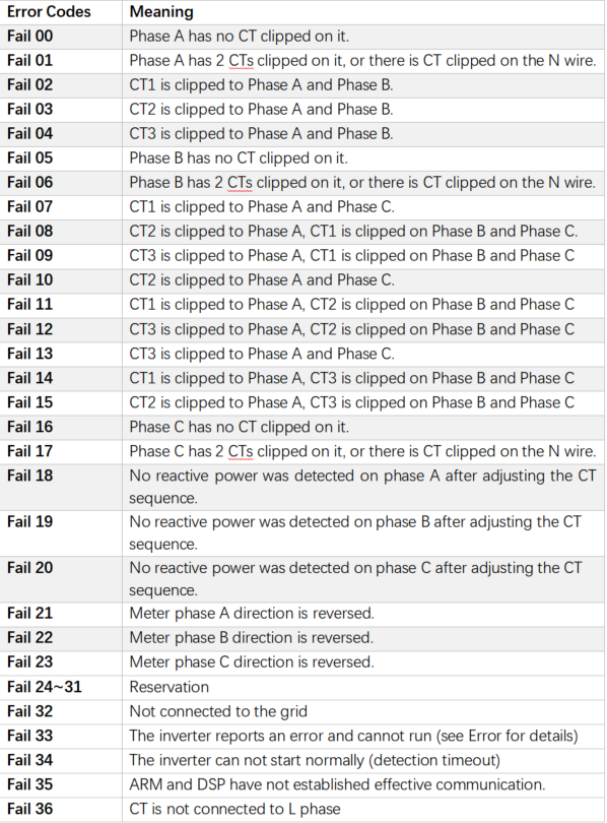
The error message is just a reminder and may not necessarily correspond to the actual installation issue. Usually, if there are no issues with the installation wiring of the meter or CT, updating the firmware version to the latest one can solve the problem.
Information check list :
If you have completed the above <Guidance for installer>, and the problem is still not solved, please collect the following troubleshooting information and send them to the Solax technical support team.
1.[Photo] SN numbers of the inverter.
2.[Photo]CT direction.
3.[Photo]The inspection results after enabling the "self-checking" function.