Chuck Lee

FAQ/INV
Issue introduction
The inverter (X3-Mega G2, X3-Forth, X3-Forth Plus or X3-Grand HV) fan is making unusual noises or reporting 'Fan Fault'*.
*Could be Fan1 Fault, Fan2 Fault and Fan 3 Fault according to different models.
Confirmation of basic information
[Video] A video of the inverter emitting abnormal noises during operation.
[Photo] SN number of the inverter;
Guidance for installer
If the inverter doesn’t report a fan fault but makes unusual noises. Start from Step 2.
Step 1: Upgrade to the latest firmware and restart the inverter.
Step 2:Disconnect the AC connection. Then, disconnect the DC switch and wait for 5 minutes.
Step 3:Remove the fan and clean it with a brush. Refer to the GKP link video.
https://km.solaxpower.com/preview.html?fileid=926f78e7-b7f6-415b-bf2b-8eed07ee5189
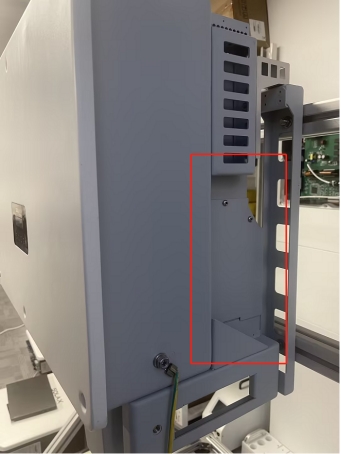
First, screw out the fan cover fixing screw to remove the cover.
|
|
|
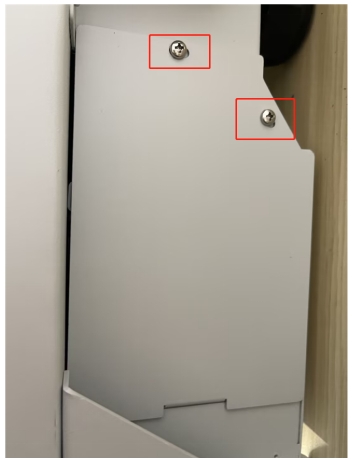
Step 4:Remove the fan support fixing screw.
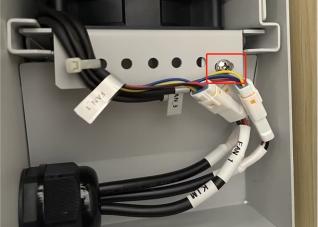
Step 5:Pull out the fan bracket, stop at the position about 150mm and pull off the fan waterproof connector.
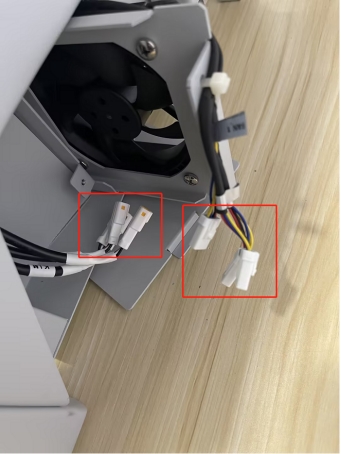
Step 6:Pull out the fan bracket and use a brush to clean dust and debris.
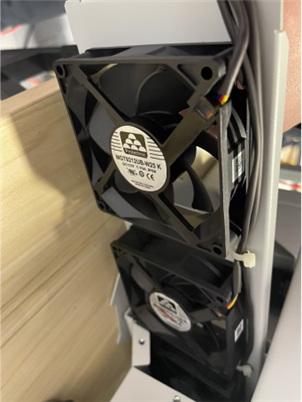
Step 7:Reinstall the fan bracket in the inverter and tighten the fixing screws. Connect the AC and PV cables, then restart the system.If the error persists or there is abnormal noise, contact the SolaX technical support team to have the fan assembly replaced.
Information Select List
If you have completed the above <Guidance for installer>, and the problem is still not solved, please collect the following troubleshooting information and send them to the R&D.
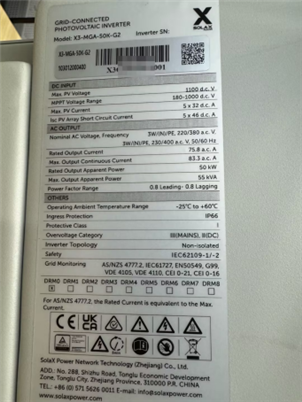
1. [Photo] Inverter information including SN and registration numbers.
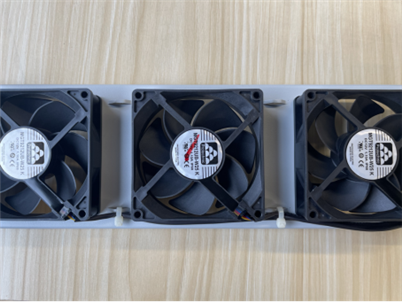
2. [Photo] Fan Bracket
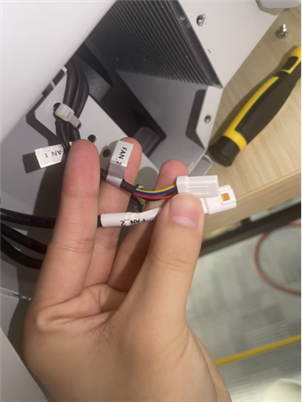
3. [Photo] The connection of fan waterproof connectors. (Including the labels on the cable)